BuzzCast: Live Stream & Chat
- 4.2
- Rating
- 10.00M
- Installs
- Free
- Price

 Analysis by App-foxy
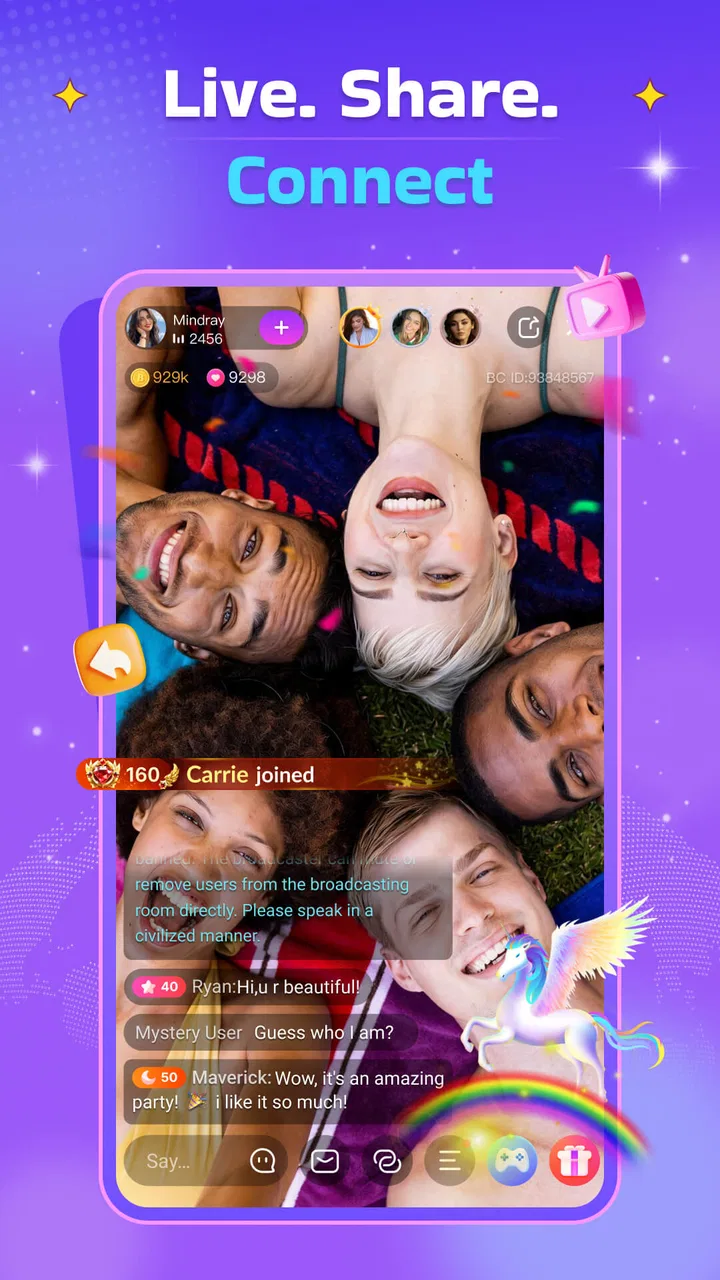
I approached BuzzCast: Live Stream & Chat as a social app for people who want conversation to feel more immediate than a normal feed. Its appeal is easy to understand: instead of waiting for a post to collect replies, you can watch a live broadcast, follow the chat as it develops, and decide whether you want to participate. In my experience, that makes it feel less like browsing a static network and more like dropping into an ongoing room where the mood can change quickly.
The app comes from BuzzCast LIVE and is free to install, although it includes optional in-app purchases ranging from $0.49 to $999.99 per item. That price range is worth noticing before you become invested in the social side of the platform. The service is aimed at mature users aged 17 and over, and the live format means the experience can vary considerably from one stream to another. I would not recommend opening it with the expectation that every room will suit you; the better approach is to treat it as a large collection of live conversations and spend a little time choosing where to stay.
Getting past the first points of friction
The first difficulty is not usually understanding what the app is for. It is deciding how to use it without becoming overwhelmed. Live platforms put a lot of activity in front of you at once, and a new user can easily jump between broadcasts without forming a clear reason for being there. I found the experience more rewarding when I began with a simple goal: watch quietly, find people with a similar interest, or join a conversation rather than trying to explore everything immediately.
You May Also Like

 Blood Strike: 2.5 Anniversary
Blood Strike’s Loadouts Turn Every Drop Into a Tactical Gamble
A close look at Blood Strike’s custom loadouts: how fast access to signature weapons reshapes its battle royale rhythm, rewards preparation, and narrows the gap between fights.

 Pandora - Music & Podcasts
Pandora’s Music Is Easy to Start, but Harder to Recover
Pandora’s strength is its low-effort path from a seed to a station. Its weak spot is how much confidence it asks you to place in connection, setup, and quiet recovery.

 8 Ball Pool
 Is Built on Rivalries, Rematches, and Routine
A close look at the rivalries, rematches, shared routines, and unanswered safety questions that turn a quick pool match into a persistent mobile community.

 Samsung Music
’s Quiet Strength Is Playing What You Already Own
Its reach comes less from spectacle than from dependable access to a personal library. That simplicity is both the app’s strongest retention engine and its ceiling.

 AccuWeather: Weather Radar
AccuWeather Review: A Quick, Clear Forecast for Everyday Decisions
For everyday plans, the best forecast is the one you can understand quickly. AccuWeather makes rain timing, radar, and local conditions easy to act on, with a few trade-offs.

 Hill Climb Racing
Why Hill Climb Racing Still Turns Crashes Into One More Run
A tiny car, a bumpy hill and one more upgrade: Hill Climb Racing keeps resurfacing because its simple chaos makes every near-miss feel personal.
More From Our News Desk



That distinction matters because watching and participating require different habits. If I am only curious about the atmosphere, I can stay in the background and judge whether a stream is comfortable before writing anything. If I want to meet people, I need to accept that chat moves quickly and that a short, relevant message is more useful than trying to introduce myself with a long paragraph. The app works best when I treat each broadcast as a live social setting, not as a video library where I can control the pace.
A practical setup check is to make sure the phone is running a compatible system. BuzzCast supports Android 6.0 and later, so older devices may be excluded even if they can still run many other social apps. The current version is 3.2.85. Keeping the app current is sensible for any service built around live communication, because an outdated installation can create problems that look like connection failures, missing screens, or unstable playback.
I also recommend checking the basics before blaming the application. A weak Wi-Fi signal, crowded mobile connection, low free storage, or a phone that is already struggling with several open apps can all make live video seem unreliable. Restarting the app after closing other demanding applications is a simple first step. If the problem appears only on mobile data, comparing it with a stable Wi-Fi connection can quickly show whether the issue is the service or the network being used.
Choose a low-pressure way to begin
My preferred starting routine is deliberately modest. I open a few broadcasts, listen for a minute, and pay attention to whether the chat feels readable and welcoming. I do not spend immediately, and I do not assume that a popular-looking room is automatically the best fit. This gives me time to understand the pace of the community and decide whether I actually want to return.
That approach is especially useful because the mature rating is not just a decorative label. Live social spaces can include adult conversation, strong personalities, and exchanges that are unsuitable for younger users. Anyone sharing a device with a teenager should take the age rating seriously. Adults who dislike unpredictable public interaction may also find a moderated, topic-focused community elsewhere more comfortable.
Another setup check involves expectations around identity and privacy. I would avoid sharing a phone number, home address, workplace details, financial information, or anything that could identify where I live. Live chat encourages quick familiarity, but a friendly exchange is not the same as knowing someone well. I also prefer to pause before responding to private requests, gifts, or offers that create pressure to continue a conversation.
The free entry point is helpful because it lets me judge the app without paying first. At the same time, the presence of purchases means I would decide on a personal spending limit before exploring any paid elements. The upper end of the listed range is extremely high for an individual item, so impulse buying is a real trade-off. I see the no-cost access as an opportunity to evaluate the community, not as an invitation to spend in order to feel included.
Recovering when a live session goes wrong
Live apps are more sensitive to interruptions than ordinary social feeds. If a stream freezes, I first wait briefly rather than tapping repeatedly. I then leave and reopen the broadcast, check whether other streams behave the same way, and compare Wi-Fi with mobile data if possible. When only one broadcast is affected, the problem may be local to that stream or its connection. When everything is slow, the broader network or device is a more likely explanation.
If chat stops updating while video continues, I treat those as separate symptoms rather than assuming the whole app has failed. Closing and reopening the session can restore a stalled connection. If the app itself becomes unresponsive, a full restart of the phone is a reasonable next step. I would also check for an available update, since version mismatches can produce odd behavior after the service changes.
One useful habit is to remember what happened immediately before the fault. Did I switch networks, lock the screen, rotate the phone, open another application, or move into an area with weaker reception? A short note about that sequence makes troubleshooting more efficient. It also prevents the common mistake of repeatedly reinstalling an app when the real cause is an unstable connection or an overloaded device.
Reinstalling should be a later option, not the first one. Before doing it, I would make sure I can sign back into the account and know which details I used. Losing access to an account during a rushed troubleshooting attempt is more frustrating than a temporary playback problem. The same principle applies to clearing app data: it can remove local settings or session information, so I would use it only after simpler checks have failed.
There is also a social recovery workflow. If I enter a room that feels hostile, confusing, or simply uninteresting, I do not argue with the chat to justify leaving. I exit, choose another stream, and avoid giving attention to people who are trying to provoke a reaction. This sounds obvious, but live conversation makes it easy to respond impulsively. The quickest way to improve the experience is often to move to a better room rather than trying to repair a bad one.
Separating app problems from connection problems
It is tempting to blame BuzzCast whenever a broadcast buffers, but live video depends on several parts working together. The phone, operating system, network, app version, and broadcaster’s connection can all affect what I see. A stream that is smooth for one viewer may still be difficult for another if their connection is congested or their device is underpowered.
I use a simple comparison: try more than one broadcast, then try the app again later. If only one creator’s session stutters, I would not treat that as proof that the entire platform is broken. If several sessions fail while other video services also struggle, I would investigate the network first. If ordinary internet activity works but BuzzCast alone repeatedly fails after an update or reinstall, then the app becomes the stronger suspect.
Device heat and battery-saving behavior can also change the experience. A phone that is hot or heavily restricted may reduce background activity, interrupt transitions, or make video less fluid. I would close unnecessary applications, avoid using the service while the phone is overheating, and test again after it cools. These are ordinary checks, but they matter more for a live service than for a text-based network.
For people using limited mobile data, live viewing deserves extra caution. I would use Wi-Fi when possible and avoid leaving a stream running unattended. Even without calculating exact consumption, continuous video is a more demanding habit than reading posts or sending messages. This is one of the clearest cases where the usual alternative—a text-first social network—may be more practical.
How it fits into everyday use
A realistic use case is an evening when I want company but do not want to arrange a call with friends. I can browse a few live rooms, stay in one that matches my mood, and write occasional comments instead of committing to a long conversation. If the room becomes too loud or repetitive, I can leave without creating the awkwardness of ending a private call. That low-commitment quality is one of the app’s strongest advantages.
It can also suit someone who enjoys discovering personalities rather than consuming polished, edited content. The live format leaves room for spontaneous exchanges and ordinary moments. I find that more personal than a perfectly prepared clip, although it also means the quality is inconsistent. Some sessions may be engaging immediately; others may take time to develop or may simply not be for me.
Compared with a conventional social network, BuzzCast puts the live interaction first. A typical feed is better when I want to catch up quickly, search through older posts, or respond on my own schedule. Compared with a private messaging app, BuzzCast is better for open discovery but weaker for controlled, intimate communication. Compared with a video platform built around edited uploads, it offers immediacy at the cost of predictability and polish.
That comparison helps clarify who should skip it. I would choose another option if I need reliable educational material, searchable long-form information, strict control over who can contact me, or a quiet experience with no unexpected adult conversation. I would also skip it if I know I am vulnerable to impulsive purchases or feel uncomfortable watching strangers interact in public rooms.
Small habits that improve the experience
My first concrete tip is to judge a stream by the quality of its conversation, not simply by how busy it looks. A fast chat can be exciting, but it can also make meaningful participation difficult. A slower room may offer a better chance to be noticed and understand the community. I would spend a few minutes observing before deciding whether to follow the activity or move on.
Second, I keep my own messages short and connected to what is happening. This increases the chance that the comment makes sense in context and reduces the pressure to perform for strangers. If a conversation becomes personal too quickly, I step back. The live setting rewards immediacy, but it does not remove the need for boundaries.
Third, I separate discovery from spending. I explore free viewing first, identify the kinds of rooms I genuinely enjoy, and only then consider whether any optional purchase has a clear purpose for me. I never treat a purchase as a requirement for belonging. This is particularly important here because the available item range extends from small amounts to very expensive options.
Fourth, I use the app in short sessions when I am merely curious. That prevents endless scrolling through live rooms and makes it easier to notice whether I am actually enjoying the interactions. If I return repeatedly to the same type of broadcast, I have learned something useful about my preferences. If I keep leaving after a few minutes, that is also a valid result: the format may not suit me.
Finally, I keep troubleshooting proportional. I test another stream, another connection, and a fresh app launch before making major changes. This workflow avoids confusing a broadcaster-specific problem with a platform-wide failure. It also saves the account and device disruption that can come from deleting data too quickly.
My practical verdict
BuzzCast is a convincing choice for adults who want spontaneous social contact and enjoy the uncertainty of live rooms. Its free access lowers the barrier to trying it, while the large existing audience—more than ten million installs and an average rating of 4.2 from around 139 thousand ratings—suggests that the concept has found a substantial user base. Those figures are useful context, but they do not guarantee that every community or broadcast will match my interests.
I like the app most when I use it selectively: browse first, observe the tone, participate lightly, and leave quickly when a room is not right. I like it less when I expect consistent quality, quiet browsing, or the dependable structure of a private conversation. The mature age rating, unpredictable live content, and optional purchases also mean that self-control matters more here than it does in a simple text feed.
For me, the deciding question is not whether live chat is technically appealing. It is whether I want social discovery with limited control over the moment. If the answer is yes, BuzzCast offers an accessible way to watch and join real-time conversations. If I need privacy, predictable content, low data use, or a firm spending boundary without temptation, a more controlled social alternative will be the better fit.
My recommendation is to try it without spending, use a stable connection, and treat the first few sessions as an evaluation of the communities rather than a commitment to the whole platform. That mindset makes the app easier to enjoy and gives me a clear way to decide whether its live-first style genuinely adds something to my daily routine.
FAQs for BuzzCast: Live Stream & Chat
01What is BuzzCast: Live Stream & Chat, and how does it work?
BuzzCast is a social livestreaming app where users can watch live broadcasts, chat with creators, follow hosts, and interact with other viewers in real time. After creating an account, you can browse recommended streams, join public conversations, send messages, and sometimes participate in live audio or video interactions, depending on the host’s settings and the features available in your region.
02Is BuzzCast: Live Stream & Chat free to download and use?
BuzzCast can generally be downloaded for free on supported Android and iOS devices, and many livestreams can be watched without payment. However, the app may include optional in-app purchases, virtual coins, digital gifts, subscriptions, or other paid features. These extras are commonly used to support streamers or unlock additional interactions, so users should review prices carefully and manage purchase restrictions.
03Do I need to create an account before using BuzzCast?
An account may be required for the full BuzzCast experience, particularly if you want to comment, follow streamers, send gifts, host a broadcast, or personalize recommendations. Registration may involve an email address, phone number, or a connected social account. Before signing up, check the permissions requested and review the app’s privacy policy so you understand how profile and activity information may be used.
04Is BuzzCast safe for children and teenagers?
BuzzCast contains user-generated livestreams, public chats, and direct social interactions, so the content and conversations may vary considerably. Some broadcasts may not be suitable for younger users, and contact with strangers can create privacy and safety concerns. Parents should check the app’s age rating, use available reporting or blocking tools, discuss responsible sharing, and consider device-level parental controls before allowing access.
05What should I do if I encounter inappropriate content or problematic behavior on BuzzCast?
If you see harassment, suspicious activity, explicit material, scams, or other inappropriate behavior, avoid sharing personal information and use the in-app reporting and blocking options whenever available. You can usually report a user or livestream from its profile or menu. Keep screenshots or other evidence if necessary, and contact BuzzCast support for serious issues involving threats, fraud, or repeated violations.
Pros
- Easy to discover live streams based on interests and trends.
- Interactive chat makes it simple to connect with creators and viewers.
- Supports virtual gifts and creator-focused engagement features.
- Frequent live content keeps the platform feeling active and fresh.
- Available social tools help users build a recognizable profile.
Cons
- Content quality can vary significantly between different live rooms.
- Live chats may become noisy or difficult to follow during busy streams.
- Virtual gifts and in-app purchases can encourage additional spending.
- Some features may require account access or personal profile details.
- The app may use considerable battery and mobile data during long streams.

BuzzCast: Live Stream & Chat
Gallery